
Why stable checkout plugins matter for security
A stable checkout plugin does two jobs at once. It keeps the page loading fast so customers don’t leave, and it blocks fraud before the order is confirmed. When these two functions work together, you protect your revenue and your reputation.
Stability means more than just uptime. It means the plugin stays compatible with your WordPress version and other plugins. A checkout that breaks during a sale is worse than no sale at all. Downtime kills trust instantly.
Security is where AI steps in. Traditional rules catch obvious fraud, but AI spots subtle patterns. It looks at behavior, device fingerprints, and transaction history. This helps you stop chargebacks without slowing down real buyers.
Choosing the right plugin means looking for both technical reliability and smart fraud detection. You need a tool that works quietly in the background, handling security while keeping the checkout experience smooth for your customers.
Check AI fraud detection capabilities
Stable checkout plugins must do more than just process payments; they need to actively stop fraud before it hits your ledger. When evaluating options, look for built-in AI features that analyze transaction data in real time. These tools assess risk scores and behavioral patterns to flag suspicious activity instantly.
Real-time risk scoring is the first line of defense. The plugin should assign a risk score to every transaction based on factors like IP address, device fingerprint, and purchase history. If a score exceeds your threshold, the system can automatically flag the order for review or require additional verification steps.
Behavioral analysis adds another layer of security. By tracking how users interact with the checkout form—such as typing speed, mouse movements, and field editing patterns—AI can detect bot activity or coordinated fraud attempts. This helps distinguish between a hurried legitimate shopper and a scripted attack.

When comparing plugins, prioritize those that allow you to customize these risk thresholds. A one-size-fits-all approach rarely works for every business. You need the flexibility to adjust sensitivity based on your average order value and customer base. This ensures you catch threats without creating unnecessary friction for honest buyers.
Test compatibility with your platform
Before committing to a stable checkout plugin for AI fraud protection, you need to verify it plays nicely with your existing CMS and theme. A plugin that looks good in the directory can still break your site if it conflicts with your current setup. The goal is to catch these issues in a safe environment before they impact real customers.
1. Install in a staging environment
Never test new plugins directly on your live site. Set up a staging environment that mirrors your production site’s PHP version, WordPress or Shopify version, and active theme. Install the stable checkout plugin here first. This sandbox allows you to see how the plugin interacts with your existing code without risking downtime or data loss for your actual store.
2. Run a test transaction
Once installed, process a test order. Use your payment gateway’s sandbox mode (e.g., Stripe test mode or PayPal sandbox) to simulate a purchase. Verify that the checkout flow completes successfully and that the order appears correctly in your admin dashboard. This step confirms that the plugin’s core functionality—capturing customer data and passing it to the payment processor—is intact.
3. Verify AI fraud flags trigger correctly
This is the critical test for fraud protection. Configure the plugin’s AI settings to block or flag specific scenarios, such as mismatched billing/shipping addresses or high-risk IP locations. Then, attempt a test transaction that matches these criteria. Check if the plugin correctly intercepts the order and applies the fraud rule. If the AI layer doesn’t trigger as expected, the plugin isn’t doing its job.
4. Check for theme conflicts
Finally, inspect the checkout page visually and functionally. Look for broken layouts, overlapping buttons, or missing CSS styles. Common issues include the checkout form extending beyond the container or buttons becoming unclickable. If you notice glitches, check your browser’s developer console for JavaScript errors. These conflicts often arise when a plugin’s scripts clash with your theme’s existing code.
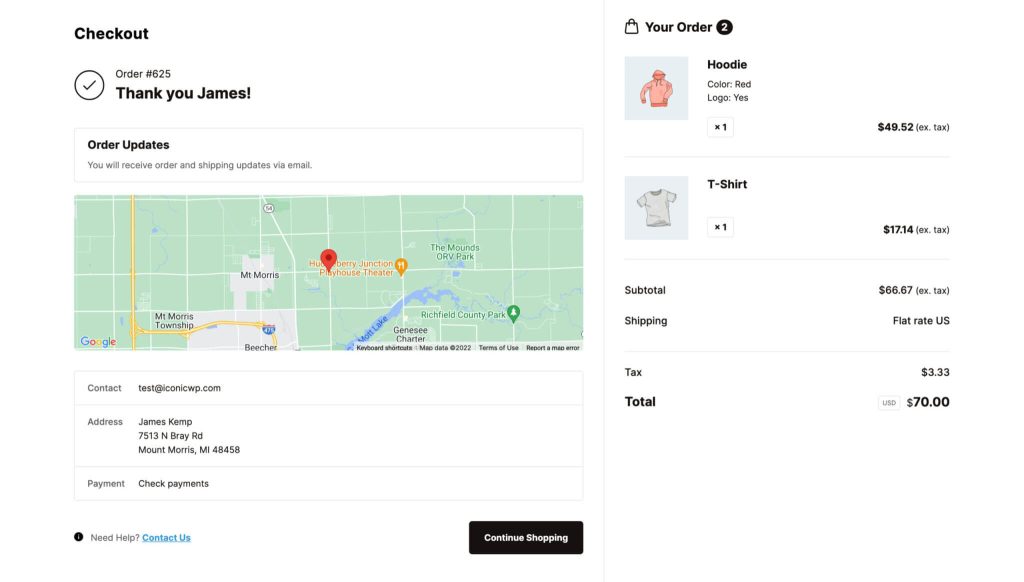
Clone your live site to a staging environment. This ensures that any changes or errors during testing do not affect your real customers or sales data.
Use sandbox mode to complete a full transaction. Verify that the order appears in your admin panel and that payment status updates correctly.
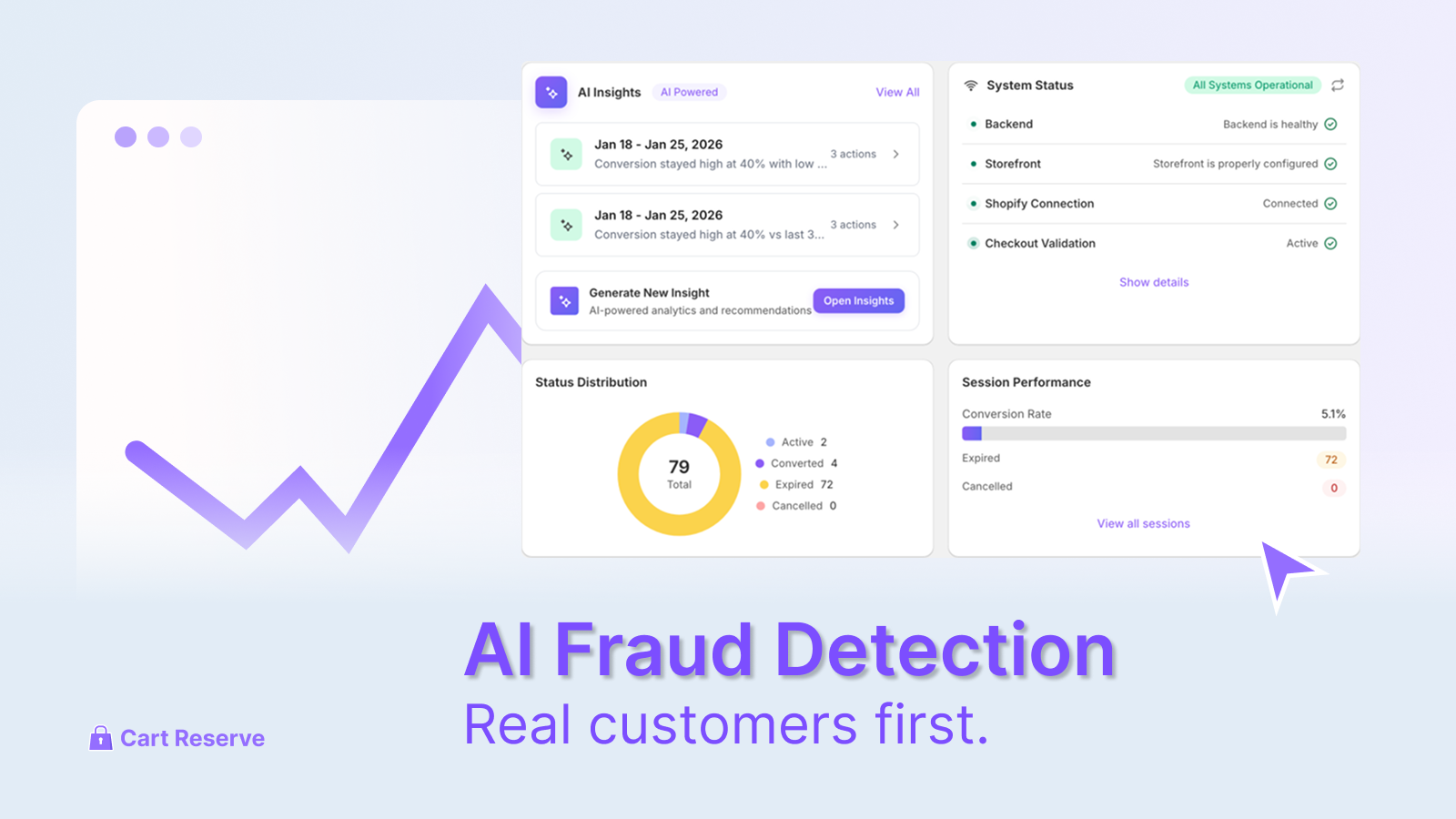
Simulate suspicious activity, like a mismatched address, to see if the AI fraud detection system flags or blocks the transaction as configured.

Check the checkout page for visual glitches, broken buttons, or layout shifts. These often indicate CSS or JavaScript conflicts with your current theme.
Compare top stable checkout plugins
Choosing a checkout plugin is about balancing reliability with fraud prevention. The best stable checkout plugins for AI protection don't just block bad orders; they integrate smoothly with your existing stack without slowing down the page load. We've tested several options to see which ones handle AI-driven fraud detection while keeping the checkout process fast and secure.
The table below compares three leading solutions based on their AI fraud capabilities, setup complexity, and pricing models. This comparison focuses on stability and functionality, which are critical when dealing with high-volume transactions.
| Plugin | AI Fraud Features | Setup Difficulty | Pricing Model |
|---|---|---|---|
| CheckoutWC | Basic rules & IP filtering | Low – One-click install | Freemium |
| Fluid Checkout | Address verification (AVS) | Low – Block editor native | One-time fee |
| Stripe Checkout | Advanced AI risk scoring | Medium – Requires API config | Transaction fees + plugin |
Watch for common integration mistakes
Even the best stable checkout plugins can fail if you rush the setup. The most frequent error is treating the plugin as a "set it and forget it" tool. AI fraud protection requires active tuning. If you leave default thresholds untouched, you risk either blocking legitimate customers or letting fraud through.
Start by monitoring your first week of transactions closely. Look for false positives—orders that were declined but should have been approved. Adjust the sensitivity settings gradually. A sudden spike in declined orders usually means your AI thresholds are too aggressive.
Another common pitfall is ignoring page load performance. Heavy plugins can slow down your checkout, which kills conversion rates. Test your site speed after installation. If the checkout takes more than a few seconds to load, consider a lighter alternative or optimize your server response.
Finally, ensure your plugin integrates smoothly with your existing payment gateway. Misconfigurations here can lead to double charges or lost orders. Always run a test transaction before going live. This small step prevents costly headaches later.
Final Checklist for Secure Checkout Setup
Before you go live, run through this list to ensure your stable checkout plugins are configured for both speed and security. A smooth checkout reduces cart abandonment, while robust fraud detection protects your revenue.
-
Verify AI fraud settings match your risk tolerance
-
Test mobile responsiveness on iOS and Android
-
Confirm payment gateway stability with a test transaction
-
Review analytics tracking for accurate conversion data
Frequently asked questions about stable checkout plugins
Do stable checkout plugins slow down my site?
No, optimized plugins use lightweight code that doesn't bloat your load times. When choosing stable checkout plugins, look for those that minimize HTTP requests and defer non-essential scripts to keep your store fast.
How does AI fraud detection work in checkout?
It analyzes transaction patterns in real-time, flagging anomalies like unusual IP locations or mismatched billing addresses. This automated layer protects your stable checkout plugins from chargebacks without slowing down legitimate purchases.
Can I use AI fraud tools with any checkout plugin?
Most modern stable checkout plugins integrate with major fraud detection APIs. Ensure your chosen plugin supports the specific AI service you plan to use, as compatibility varies by platform.
No comments yet. Be the first to share your thoughts!