
Why stablecoins fit modern checkout
Merchants are shifting from volatile crypto to stablecoins because the latter removes the gamble from daily revenue. Bitcoin and Ethereum can swing double digits in hours, turning a profitable sale into a loss before the merchant even withdraws the funds. Stablecoins like USDC or USDT are pegged to fiat currencies, meaning the value received at checkout is the value deposited in the bank account. This predictability allows store owners to manage inventory and payroll without hedging against market volatility.
Lower transaction fees are the second major driver. Traditional credit card processors typically charge 2.9% plus a fixed fee per transaction. Stablecoin transfers, particularly on low-fee networks like Solana or Layer 2 Ethereum solutions, often cost a fraction of a cent. For high-volume merchants or those selling low-margin digital goods, these savings compound quickly. The technology enables direct peer-to-peer settlement, bypassing the middlemen who traditionally take a cut of every sale.
This shift doesn't just benefit the merchant; it also offers customers a faster, cheaper way to pay globally. There are no cross-border currency conversion fees or multi-day settlement waits. As the infrastructure matures, stablecoins are becoming the pragmatic bridge between traditional e-commerce reliability and the efficiency of blockchain technology.
Top stable checkout plugins for 2026
The landscape for stablecoin payments on Shopify and WooCommerce has shifted from experimental add-ons to dedicated, high-availability gateways. In 2026, "stability" means more than just uptime; it refers to reliable API connections, consistent transaction finality, and seamless integration with existing merchant accounts. Below are the concrete plugin options that have proven their reliability for processing USDT, USDC, and other major stablecoins.
1. CoinGate for WooCommerce
CoinGate remains the most straightforward entry point for WooCommerce merchants who need stablecoin support without heavy development work. The plugin connects directly to CoinGate’s payment gateway, allowing you to accept USDT (TRC20 and ERC20), USDC, and DAI. The checkout flow is clean: the customer selects CoinGate, chooses their preferred stablecoin, and completes the payment via a QR code or wallet address. Settlement is fast, and CoinGate offers the option to auto-convert crypto to fiat if you prefer to avoid holding digital assets.
The interface is familiar to WordPress users, with settings for network selection and minimum payment amounts. It supports a wide range of stablecoins, making it a versatile choice for stores that want to offer choice without managing multiple wallets. For merchants who already use CoinGate for fiat, the unified dashboard simplifies reconciliation.
2. Coinbase Commerce for Shopify
For Shopify users, Coinbase Commerce is the most robust native option for stablecoin processing. It integrates directly into the Shopify checkout, allowing customers to pay with USDC, USDT, and DAI without leaving the store. The plugin handles the complex blockchain interactions in the background, presenting a simple payment button to the shopper. Settlements are recorded on-chain, providing an immutable audit trail for your accounting team.
The setup is minimal: install the app from the Shopify App Store, connect your Coinbase Commerce account, and you are live. It supports major stablecoins across Ethereum, Polygon, and Solana networks, giving you flexibility in transaction fees. For stores prioritizing brand trust and ease of use, Coinbase Commerce offers a polished, secure experience that aligns with Shopify’s own security standards.
3. BitPay for WooCommerce
BitPay has long been a staple in the crypto payments space, and its WooCommerce plugin continues to offer reliable stablecoin processing. It supports USDC, USDT, and other major stablecoins, with a focus on compliance and security. The plugin allows you to set up custom payment buttons or integrate directly into the cart. BitPay handles the conversion and settlement, offering both crypto and fiat settlement options.
The plugin is particularly strong for merchants who need detailed reporting and compliance features. It supports multiple stablecoin networks, allowing you to choose the most cost-effective option for your customers. BitPay’s infrastructure is designed for high-volume transactions, making it a solid choice for established stores looking to add crypto payments without compromising on stability.
4. NowPayments for Shopify
NowPayments offers a flexible, multi-currency gateway that supports a wide array of stablecoins, including USDT, USDC, and BUSD. The Shopify integration is straightforward, allowing you to accept crypto payments alongside traditional methods. The plugin handles the conversion and settlement, with options for auto-conversion to fiat or holding the crypto in your wallet.
The strength of NowPayments lies in its support for diverse stablecoin networks, including Layer 2 solutions like Arbitrum and Optimism, which offer lower fees. This makes it an attractive option for stores with international customers who may face high transaction costs on Ethereum mainnet. The plugin also provides a user-friendly dashboard for managing transactions and viewing analytics.
![uni USB C to Ethernet Adapter, Driver Free RJ45 to USB C [Thunderbolt 3/4 Compatible], 1Gbps Type-C Gigabit Ethernet LAN Network Adapter for MacBook Pro/Air, iPhone 15 Pro/Max, Dell XPS, Galaxy S8-S24](https://m.media-amazon.com/images/I/61bq8oQDrWL._AC_UY654_QL65_.jpg)


As an Amazon Associate, we may earn from qualifying purchases.
Plugin features and fees
Choosing a stable checkout plugin means looking past the marketing copy to the actual costs and technical requirements. Transaction fees, supported stablecoin types, and integration complexity are the three factors that determine whether a plugin will actually work for your store in 2026.
Most plugins charge a flat monthly fee for the core software, but the real cost comes from transaction processing. Some plugins pass the payment gateway fees directly to you, while others bundle them into a higher subscription tier. We compared the top three options to see how they handle these costs.
Supported Stablecoins and Chains
Not all stablecoin plugins support the same currencies. USDC and USDT are the most common, but DAI is gaining traction for its decentralized nature. If you need multi-chain support, check whether the plugin allows transactions on Ethereum, Polygon, or Arbitrum. This flexibility can save you significant gas fees during high-traffic periods.
Integration Complexity
Integration varies from "install and activate" to requiring custom code. Some plugins work out of the box with WooCommerce and Shopify, while others need API keys and webhook configuration. Look for plugins that offer one-click setup if you don't have a dedicated developer on staff.
| Plugin | Transaction Fee | Stablecoins | Setup |
|---|---|---|---|
| Coinbase Commerce | 0% platform fee | USDC, USDT, DAI | Low |
| BitPay | 1% platform fee | USDC, USDT | Medium |
| CoinPayments | 0.5% platform fee | USDC, USDT, DAI, BTC | Medium |
Security and compliance considerations
Accepting stablecoins introduces a distinct layer of risk that traditional payment gateways do not require you to manage directly. When you enable crypto checkout plugins, you are effectively acting as your own bank. This means the responsibility for preventing fraud, managing chargebacks, and adhering to financial regulations shifts entirely to your store. Understanding these mechanics is critical before you integrate any solution.
Fraud and Chargeback Risks
The most immediate concern for merchants is the irreversibility of blockchain transactions. Unlike credit card payments, where a customer can dispute a charge through their bank, stablecoin transfers on networks like Ethereum or Solana are final. Once a customer sends USDC or USDT, you cannot simply reverse the transaction if they claim they did not receive the goods.
This creates a "buyer beware" environment that favors merchants but requires strict verification processes. To mitigate fraud, you must ensure your checkout plugin integrates with reliable identity verification tools or requires proof of payment before releasing digital goods. For physical products, consider using escrow services or plugins that hold funds until delivery confirmation is verified. This step is essential to protect your revenue from sophisticated fraud rings that exploit the speed of crypto settlements.
Regulatory Compliance and Tax Reporting
Stablecoins are not anonymous cash; they are digital assets that leave a permanent, public record on the blockchain. This transparency simplifies some aspects of accounting but complicates others, particularly regarding Know Your Customer (KYC) and Anti-Money Laundering (AML) laws. Depending on your jurisdiction, you may be classified as a Money Services Business (MSB), which requires specific licensing and reporting.
You must also account for the tax implications of accepting digital assets. In many regions, accepting a stablecoin is treated as a property transaction, meaning you may trigger capital gains events if the value of the coin fluctuates between the time of order and conversion. Your accounting software needs to track these events accurately. Failure to comply with local tax laws can result in significant penalties, so consult with a financial advisor familiar with cryptocurrency regulations.
Data Security and PCI DSS
One of the primary advantages of stablecoin payments is the reduction of PCI DSS (Payment Card Industry Data Security Standard) compliance burdens. Since you are not storing sensitive credit card information, the scope of your security audit is significantly smaller. However, this does not mean your checkout is immune to attacks.
Your primary security focus should shift to protecting customer data and preventing unauthorized access to your merchant dashboard. Ensure your checkout plugin uses HTTPS encryption and does not store private keys or sensitive wallet information on your server. If your plugin requires you to manage hot wallets, implement multi-signature wallets and cold storage solutions to protect your funds from theft. Regular security audits of your plugin and server infrastructure are non-negotiable for maintaining trust with your customers.
How to install a stable checkout plugin
Adding a stablecoin payment gateway to your store is less about complex coding and more about connecting the right plugins. Whether you run Shopify or WooCommerce, the process follows a predictable path: preparation, installation, configuration, and testing. Treat this like setting up any other critical store extension.
1. Prepare your payment gateway account
Before touching your store’s code or plugins, ensure your stablecoin processor account is fully verified. Most providers require KYC (Know Your Customer) verification before issuing API keys. Without these credentials, the plugin will have nowhere to send transaction data. Keep your API keys handy; you will need them in the next step.
2. Install and activate the plugin
For WooCommerce, navigate to Plugins > Add New and search for your chosen stablecoin extension. If it is a premium plugin, upload the ZIP file via the Upload Plugin button. For Shopify, visit the Apps section in your admin panel and search the App Store for the provider’s official integration. Click Install and confirm the permissions.
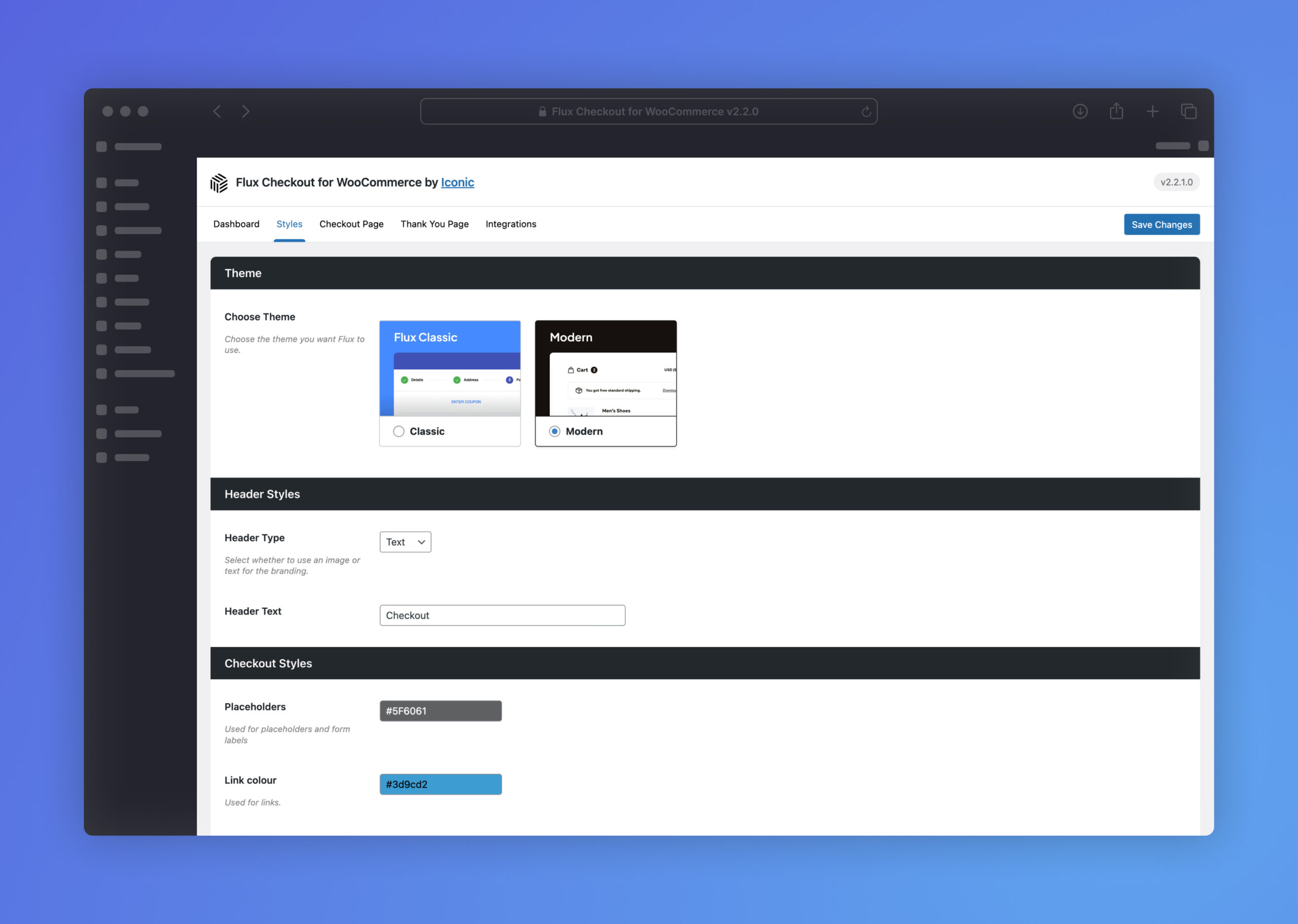
Open the plugin settings page. Locate the API Keys or Webhook URL fields. Paste the secret key and public key from your payment provider. Save changes immediately to ensure the connection is active.
Stablecoins exist on multiple blockchains (Ethereum, Polygon, Solana). In the plugin settings, select the specific network your customers will use. Ensure your store’s base currency is set to the stablecoin’s equivalent (e.g., USD) to avoid conversion confusion at checkout.
Never go live without a test transaction. Use the provider’s sandbox mode to simulate a payment. Verify that the order status updates to "Paid" and that the webhook confirms the blockchain transaction. This step prevents lost sales if the integration fails.
3. Verify the checkout experience
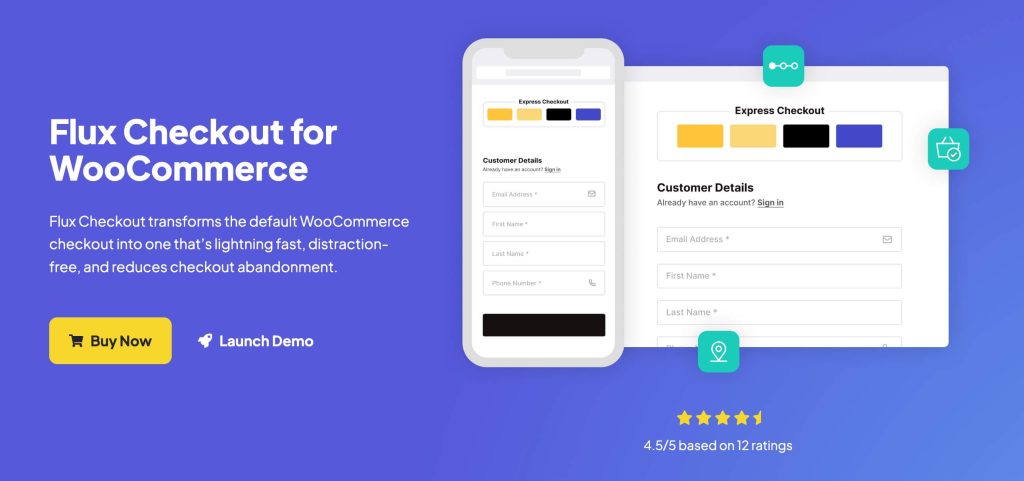
Once the plugin is active, visit your store as a guest customer. Add an item to the cart and proceed to checkout. Look for the new stablecoin payment option. If it does not appear, check your plugin’s visibility settings or conflict with other checkout customizers like CheckoutWC.
4. Monitor initial transactions
After going live, monitor the first few transactions closely. Check your payment provider’s dashboard to ensure funds are settling correctly. If you use a plugin like CheckoutWC for additional customization, ensure the stablecoin button renders correctly on mobile devices, where most checkout traffic originates.
Common questions about stable checkout
Stablecoin checkout integration often raises practical questions about compatibility and user experience. These answers address the most frequent concerns for merchants moving beyond traditional payment gateways.
No comments yet. Be the first to share your thoughts!