
Pick a stablecoin gateway plugin
Selecting a stablecoin gateway requires distinguishing between general crypto processors and dedicated stablecoin solutions. General processors often convert crypto to fiat immediately, introducing exchange rate volatility during the transaction window. A dedicated stablecoin plugin processes USDC or USDT directly, preserving the pegged value and reducing settlement risk for your business.
When evaluating options, prioritize plugins that support direct on-chain settlement without mandatory fiat conversion layers. This ensures you retain control over your treasury and avoid unnecessary slippage. The following comparison outlines the core differences between three leading stablecoin-focused checkout plugins.

| Plugin | Supported Stablecoins | Transaction Fees | Settlement |
|---|---|---|---|
| Coinbase Commerce | USDC, USDT | 1% | USD or Crypto |
| BitPay | USDC, USDT | 1% | USD, EUR, GBP |
| NowPayments | USDC, USDT, DAI | 0.5% | Crypto or Fiat |
Install and configure the plugin
To accept crypto payments, you need to install the stable checkout plugin and link it to your wallet or gateway. This process connects your WooCommerce store to the blockchain network, allowing the plugin to handle transaction verification automatically.
Log in to your WordPress admin dashboard. Navigate to Plugins > Add New. Search for your chosen stable checkout plugin by name. Click Install Now, then Activate. Ensure the plugin is compatible with your current WooCommerce version before proceeding.
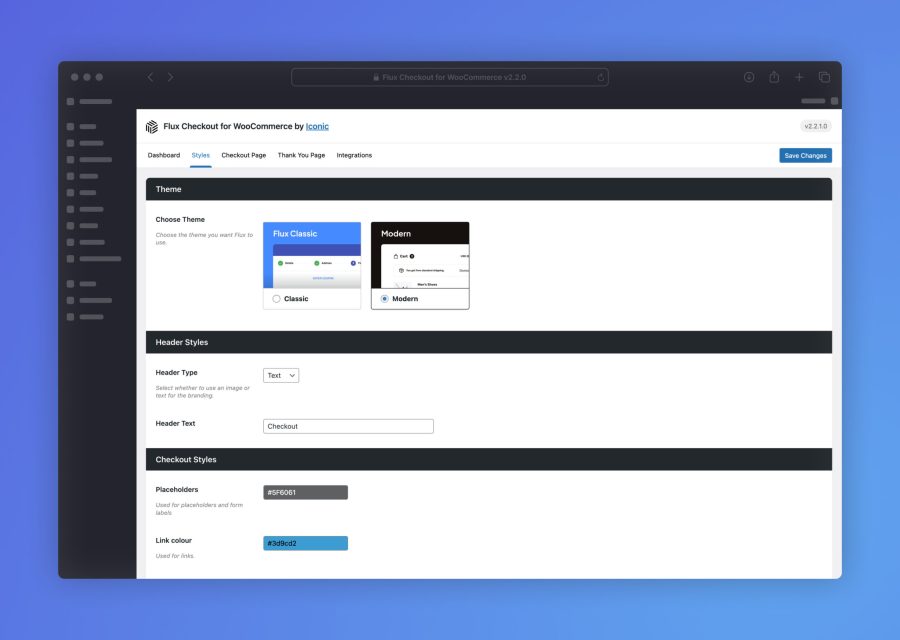
Go to WooCommerce > Settings > Payments. Find the crypto plugin in the list and click Manage. Locate the API Keys section. Copy your public key from your payment gateway dashboard and paste it into the plugin settings. Enter your private key in the secure field. Save changes.

Return to your payment gateway dashboard. Copy the webhook URL provided by the plugin. Paste this URL into the gateway's webhook configuration settings. Select the events to trigger, such as payment_confirmed or payment_failed. This ensures your store updates order status without manual intervention.
Place a test order on your live store using a small amount of cryptocurrency. Monitor the transaction on the blockchain explorer. Verify that the order status changes to "Processing" or "Completed" in WooCommerce. If the status does not update, check the plugin logs for webhook errors.
Set up auto-conversion to fiat
Keeping cryptocurrency in your wallet exposes your business to unnecessary volatility. One sharp market dip can erase your profit margin before you even process the next order. Auto-conversion solves this by instantly swapping incoming crypto payments into your preferred currency—usually fiat or a stablecoin reserve—so your revenue stays predictable.
Most stable checkout plugins handle this logic server-side. You do not need to manage the exchange yourself. Instead, you configure the plugin to trigger the swap immediately after a transaction is confirmed on the blockchain. This ensures that the funds hitting your bank account or business wallet are already converted at the rate locked in at the moment of purchase.
To configure this, navigate to your plugin’s payment settings and locate the "Auto-Conversion" or "Settlement" tab. Enable the toggle for instant conversion. Next, select your settlement currency (USD, EUR, etc.) and provide the destination wallet or bank details. Some plugins also allow you to set a threshold, keeping small amounts in crypto while converting larger transactions.
Consider the fees involved. Instant conversion often incurs a small spread or network fee. Review the plugin’s fee schedule to ensure the cost of conversion doesn’t outweigh the benefit of stability. For most merchants, the peace of mind is worth the minor transaction cost.
Test the checkout flow
Before going live, verify that your crypto payment gateway processes transactions correctly. A stable checkout plugin should handle the full lifecycle: cart creation, payment initiation, blockchain confirmation, and order status update.
Locate your plugin settings and switch the payment gateway to "Test" or "Sandbox" mode. This ensures no real funds are moved while you validate the integration. Most reputable stablecoin plugins support testnets like Sepolia for Ethereum-based tokens.

Add a low-value item to your cart and proceed to checkout. Select your configured stablecoin (e.g., USDC or USDT) as the payment method. Enter the checkout address provided by the plugin and send the exact amount using a test wallet. Keep the transaction amount small to minimize risk during validation.

Wait for the blockchain transaction to be confirmed. Check your plugin dashboard or transaction log to see if the payment status changes from "Pending" to "Completed." If the status does not update, check the gas fees and network congestion settings in your plugin configuration.

Ensure the customer order in your CMS reflects the correct status and includes the transaction hash. Verify that any automated email receipts are triggered and contain accurate payment details. This step confirms that your backend logic correctly interprets the blockchain event.
-
Test mode is enabled
-
Small test amount sent
-
Order status updated to Completed
-
Email receipt received
If the test fails, review your webhook endpoints. Many crypto payment issues stem from the server failing to receive or validate the blockchain notification from the gateway provider.
Common setup mistakes to avoid
Even the most reliable crypto payment plugin will fail if the surrounding configuration is flawed. Most payment disruptions stem from three specific technical oversights: misconfigured webhooks, outdated software, and conflicting environment settings. Addressing these issues during the initial setup prevents revenue loss and customer frustration later.
Misconfigured webhook URLs
Webhooks are the communication bridge between your payment processor and your store. If the webhook URL is incorrect, the processor cannot send the "payment confirmed" signal back to your site. This results in orders remaining in "pending" status indefinitely, even after the customer has paid.
Ensure the webhook URL in your plugin settings exactly matches the endpoint provided by your processor. Do not add trailing slashes unless explicitly required. Test the connection using the processor’s built-in "send test event" feature before going live. A broken webhook is invisible to the customer but catastrophic for your order management.
Using outdated plugin versions
Security vulnerabilities and compatibility issues are the primary reasons for plugin updates. Using an outdated crypto checkout plugin exposes your store to known exploits and can cause conflicts with newer versions of WordPress or your theme. If a plugin hasn’t been updated in six months, it is a significant red flag for stability and security.
Regularly check for updates and apply them in a staging environment first. This allows you to verify that the new version does not break existing checkout flows. Never skip major version updates, as they often contain critical security patches for handling sensitive payment data.
Ignoring environment mismatches
Developers often test plugins in a local or staging environment, which uses http://localhost or https://staging.example.com. Forgetting to switch the API keys and webhook URLs to the live https:// domain is a common error. Payment processors will reject requests from mismatched domains for security reasons.
Before launching, verify that all API keys are set to "live" mode, not "test" or "sandbox" mode. Ensure your SSL certificate is active and correctly installed on the live domain. A single mismatched environment setting will block all real transactions, making your checkout appear broken to customers.
No comments yet. Be the first to share your thoughts!