
Quick comparison of top plugins
Choosing the right WooCommerce checkout plugin depends on what you want to achieve with your store. Do you need to reduce cart abandonment, add complex upsells, or completely redesign the checkout flow? The table below compares three leading options across their primary strengths, pricing tiers, and ideal use cases to help you decide quickly.
| Plugin | Primary Strength | Price Tier | Best Use Case |
|---|---|---|---|
| CartFlows | Sales Funnels | $$ | Maximizing average order value |
| WooCommerce Checkout Manager | Customization | $ | Adding custom fields and logic |
| Modern Cart | Speed & Simplicity | $$ | Mobile-first, streamlined checkouts |
CartFlows is the go-to choice if your primary goal is increasing revenue per visitor. It excels at building complete sales funnels, offering one-click upsells, downsells, and order bumps directly within the checkout process. This makes it ideal for stores looking to boost their average order value through strategic cross-selling.
If you need granular control over the checkout form itself, WooCommerce Checkout Manager provides the necessary tools. It allows you to add custom fields, conditional logic, and extra fees without touching code. This plugin is best for businesses that need specific data collection or unique checkout requirements that standard WooCommerce doesn't cover.
For stores prioritizing mobile speed and a clean, minimalist experience, Modern Cart is a strong contender. It simplifies the checkout process to reduce friction and cart abandonment. This option is suitable for brands that want a fast, no-nonsense checkout that works seamlessly on mobile devices without the complexity of full funnel builders.
Set up fraud detection and secure payments
Fraud prevention is not a feature you toggle on and forget; it is a configuration you tune. The goal is to stop bad actors without flagging legitimate customers. A strict rule set reduces chargebacks but can also block good sales. The trick is balancing security with conversion rates.
Configure AI-driven fraud rules
Most modern checkout plugins include built-in fraud scoring. Look for tools that use machine learning to analyze user behavior, IP reputation, and device fingerprints. Instead of relying solely on static rules like "block all IPs from Country X," use dynamic scoring.
- Enable the fraud detection module in your checkout plugin settings.
- Set a threshold score (e.g., 70/100) that triggers an automatic review or block.
- Add custom rules for high-risk patterns, such as multiple orders from the same IP in a short time.
- Review flagged transactions daily to adjust thresholds based on your specific risk profile.
Integrate stablecoin and crypto payments
Accepting stablecoins like USDC or USDT adds a layer of payment security. These transactions are irreversible, which eliminates chargeback fraud entirely. For many merchants, this is the most effective way to protect against friendly fraud.
- Choose a payment gateway that supports stablecoins (e.g., Coinbase Commerce, BitPay, or direct wallet integration).
- Install the corresponding WooCommerce extension.
- Map the stablecoin payment method to your checkout flow.
- Test a transaction to ensure the conversion rate and confirmation speed meet your standards.
Balance strict filters with conversion
If your fraud filter is too aggressive, you will see a drop in sales. If it is too loose, you will drown in chargebacks. The best approach is to start with moderate settings and monitor your "false positive" rate.
Verify your setup
Before going live, run test transactions with different scenarios:
- A normal domestic order.
- An order from a high-risk region.
- A large order value.
- A stablecoin payment.
This ensures your rules trigger correctly and your customers experience a smooth checkout process.
Optimize speed and mobile experience
Latency kills conversions faster than high prices. A slow checkout page increases bounce rates, especially on mobile devices where users expect instant feedback. To fix this, you need to reduce the number of clicks and fields required to complete a purchase.
Use a popup cart for instant feedback
A popup cart (or slide-in cart) allows customers to review their items without leaving the current page. This reduces the cognitive load of navigating away and back, keeping the user engaged with the product. Plugins like WooCommerce Fast Cart implement this by overlaying the cart contents, allowing for quick quantity adjustments and immediate checkout access.
Streamline checkout fields
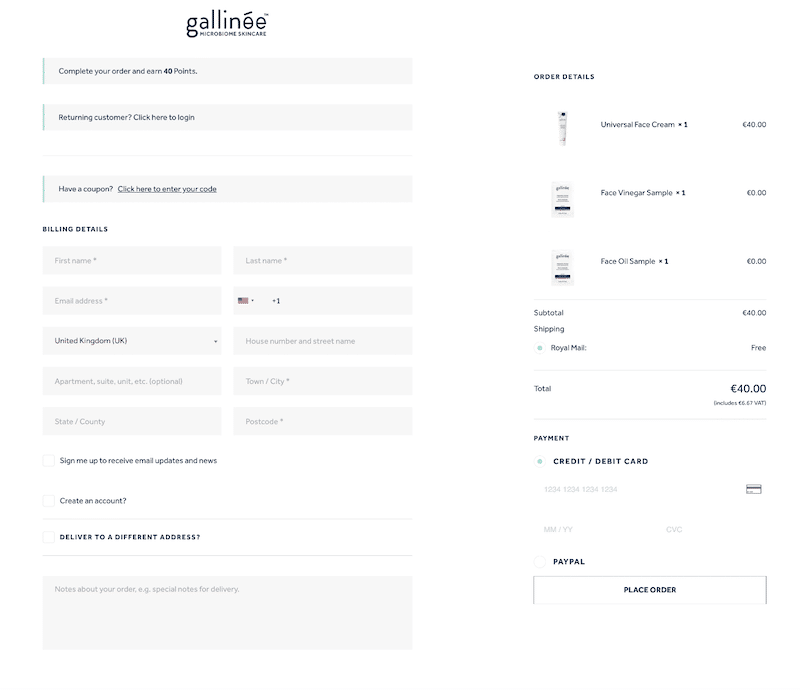
Every extra field on a checkout form adds friction. Audit your form and remove anything non-essential. You can often eliminate the "Company Name" or "Order Notes" fields unless they are strictly necessary for your business model. Fewer fields mean faster completion times and fewer opportunities for user error.
Test on mobile devices
Mobile users have smaller screens and different interaction patterns. Ensure your checkout form is responsive and that buttons are large enough to tap easily. Use a device simulator or real hardware to test the flow. If the form requires horizontal scrolling or tiny input fields, optimize the CSS or switch to a mobile-first checkout plugin.
Design frictionless returns and post-purchase
A smooth checkout is only half the battle. If customers worry about complicated returns or feel abandoned after payment, they won't return. Configure your return policy and post-purchase upsells to build trust and increase customer lifetime value without adding friction to the initial purchase.
Configure the return policy
Start by setting clear, accessible return rules. Use the plugin’s policy editor to display terms directly on the checkout page. This transparency reduces purchase anxiety and lowers support tickets. Link to a detailed policy page if needed, but keep the core rules visible.
Add post-purchase upsells
Once the order is placed, offer relevant one-click upsells. These appear on the "Thank You" page, where intent is highest. Keep offers simple and related to the original purchase. A well-timed upsell can boost average order value without confusing the customer during checkout.
Test the flow
Before going live, simulate the entire journey. Place a test order, complete the upsell, and initiate a return. Ensure emails trigger correctly and the customer portal reflects the status accurately. Fix any broken links or confusing messages.
-
Display return policy on checkout page
-
Set up one-click post-purchase upsell
-
Test full order and return flow
-
Verify automated email notifications
Common questions about checkout plugins
Choosing a WooCommerce checkout plugin involves balancing technical compatibility with conversion goals. Here are the most frequent questions about implementation, costs, and integrations.
Does a checkout plugin slow down my site?
A well-coded plugin adds minimal overhead, but poorly optimized scripts can hurt Core Web Vitals. Look for plugins that use server-side validation and lazy-load non-essential assets. Test your checkout page with tools like Google PageSpeed Insights before committing to a premium plan.
Can I use multiple checkout plugins at once?
No. Most checkout plugins hook into the same WooCommerce actions (woocommerce_checkout_fields, woocommerce_review_order_after_submit, etc.). Running two simultaneously causes JavaScript conflicts, duplicate fields, and broken payment gateways. Install only one primary checkout manager.
How do checkout plugins handle fraud detection?
Basic plugins focus on design and field management. Advanced solutions like CartFlows or Flux Checkout integrate with fraud services like Stripe Radar or PayPal Fraud Protection. For high-risk products, ensure your plugin supports custom conditional logic to flag suspicious orders before payment.
Do I need a separate plugin for returns?
Not necessarily. Many checkout plugins allow you to display return policy links directly on the checkout page. However, if you need automated return labels or restocking fees, you may need a dedicated returns plugin that integrates with your checkout data.
Put The Checkout Conversion Playbook into practice
No comments yet. Be the first to share your thoughts!